Still Dad
I’m designing and building Still Dad, an iPhone app for separated fathers. It keeps track of when you have the kids, what you want to ask them next time, and the things they’ve said, all on your phone. There’s no account and no ads, nothing goes to a server, and the other parent doesn’t need to join.
Who it’s for
Fathers who are separating, or who separated a while ago. Some are in the middle of court proceedings, some have just moved out, and some are years in and still carrying it. They tend to open the app right after a handover, the night before a hearing, in a car park twenty minutes early for pickup, or at 2am when they can’t sleep.
They want someone who’s been through it to tell them what to do next, which is different from therapy or legal advice.
Why it only needs one parent
The big apps in this space, OurFamilyWizard and TalkingParents, assume both parents sign up and cooperate. For a lot of fathers that just isn’t happening.
So Still Dad is built for one person. It’s a native app that works offline. You don’t need an account, and nothing depends on the other parent. If a feature only works when the other parent cooperates, I don’t build it.
The two main parts
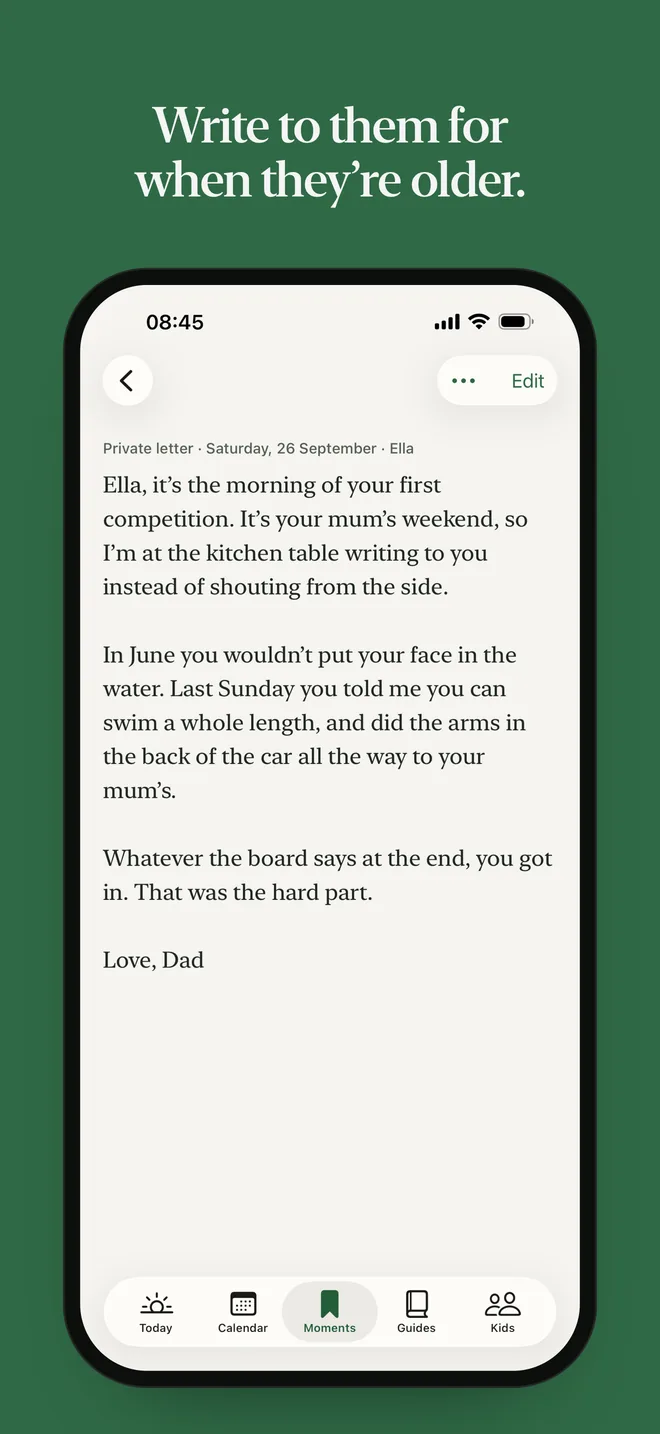
The first part is about the kids: a profile for each child, notes on what to ask next time, saved moments, and letters for them to read when they’re older. Other apps treat this as an afterthought, but it’s what fathers actually want.
The second is a log. It’s private and factual, and everything in it is dated, including time with the kids that didn’t happen or was cut short. It’s there for the night before a meeting with a lawyer, and hopefully it’s never needed.
Tone
The kids’ side is warm and the log is factual, and I keep the two apart. The app doesn’t use words like record, evidence, tracking or journal. If there’s a total, it’s written as a plain sentence rather than a big number or a chart. I don’t want it to feel like building a case file.
Designing for bad nights
A dad using it might be tired, angry and reading in the dark, so nothing should need precision, patience or good light. Text scales up, the contrast works in light and dark mode, and the most important thing always comes first on the screen.
The writing
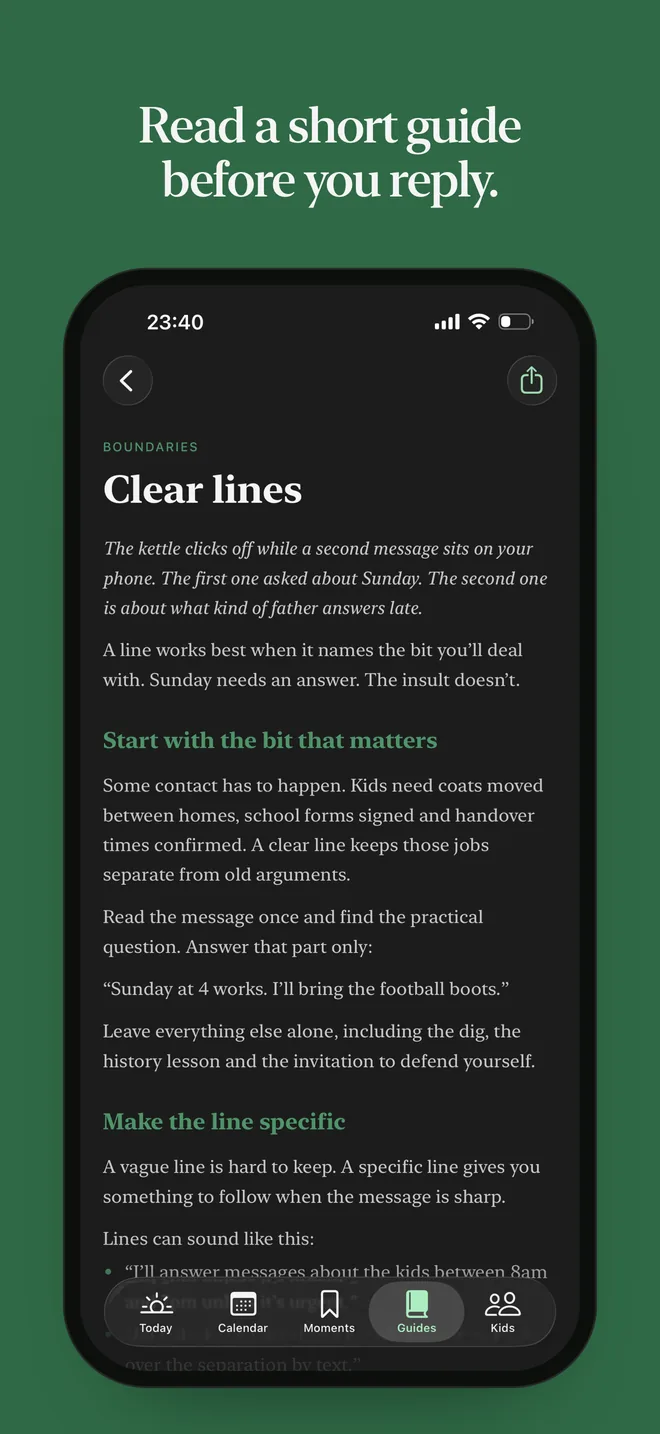
It’s written in the second person, specific and a bit dry. There are no slogans or exclamation marks, and it doesn’t offer encouragement it can’t back up. A typical line is “Pack the bag tonight, not in the morning.” It also uses words that work in any country, so it says lawyer, not solicitor or attorney.
Crisis support starts with one line that’s true anywhere: “If you might act on it, call your local emergency number now.” After that come helplines for the UK, the US or Kenya, depending on region, and it always ends with Find A Helpline, a worldwide directory of free helplines. Every number has been checked against the provider’s own website.
What’s in it
- Today
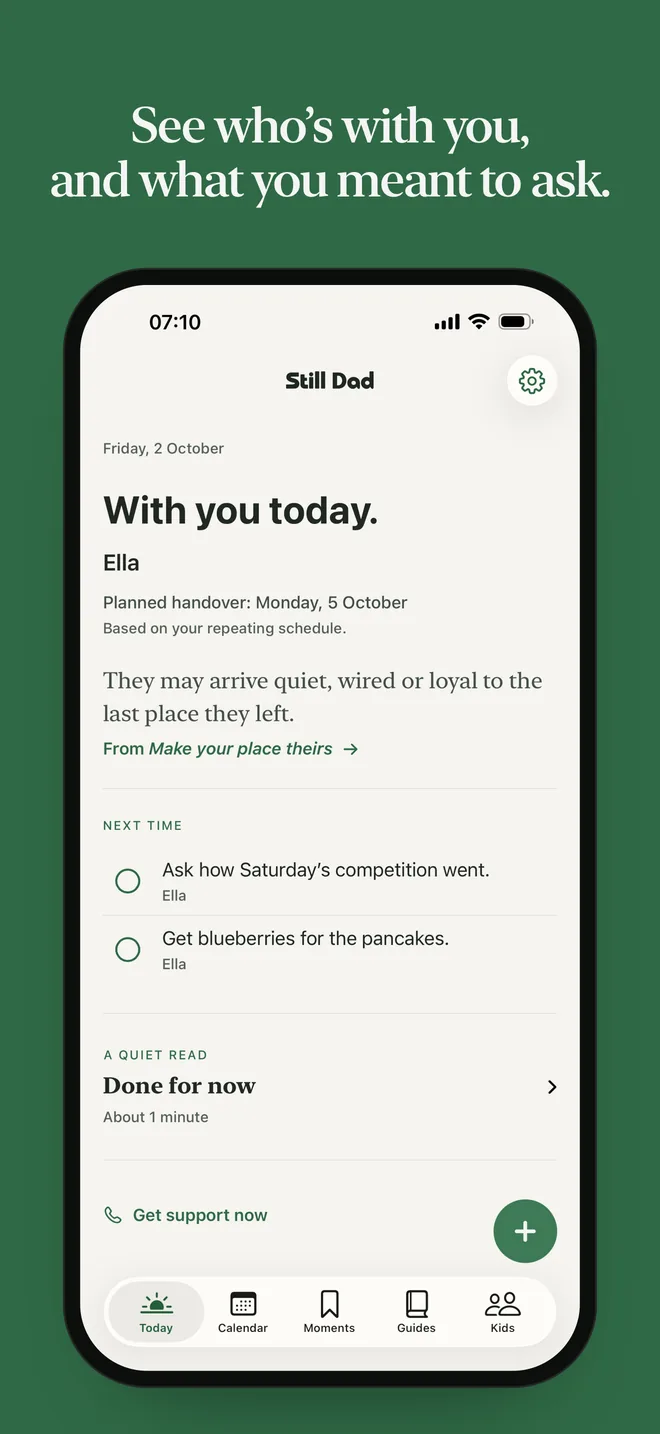
- When you next have the kids, the plan for it, and one line from a guide picked for where you are in the schedule.
- Next-time reminders
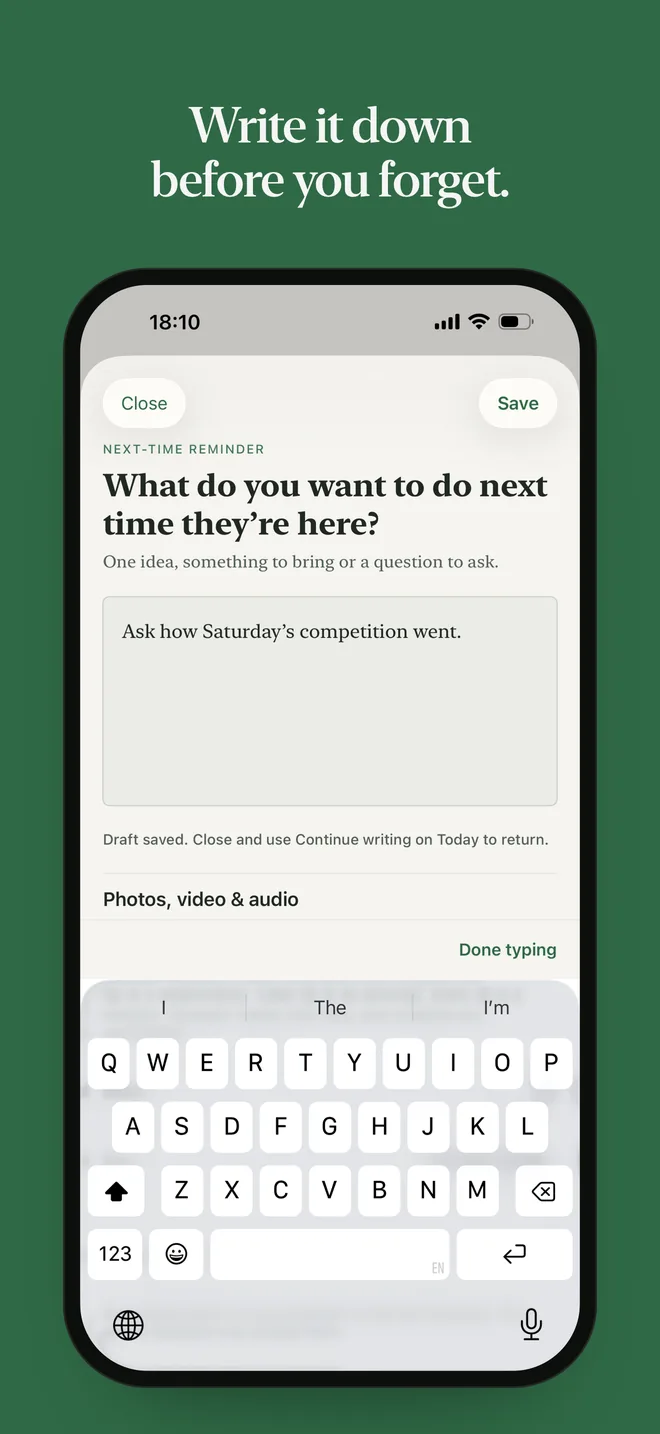
- Quick notes of things to ask or do next time. They stay on Today until they’re done.
- Moments
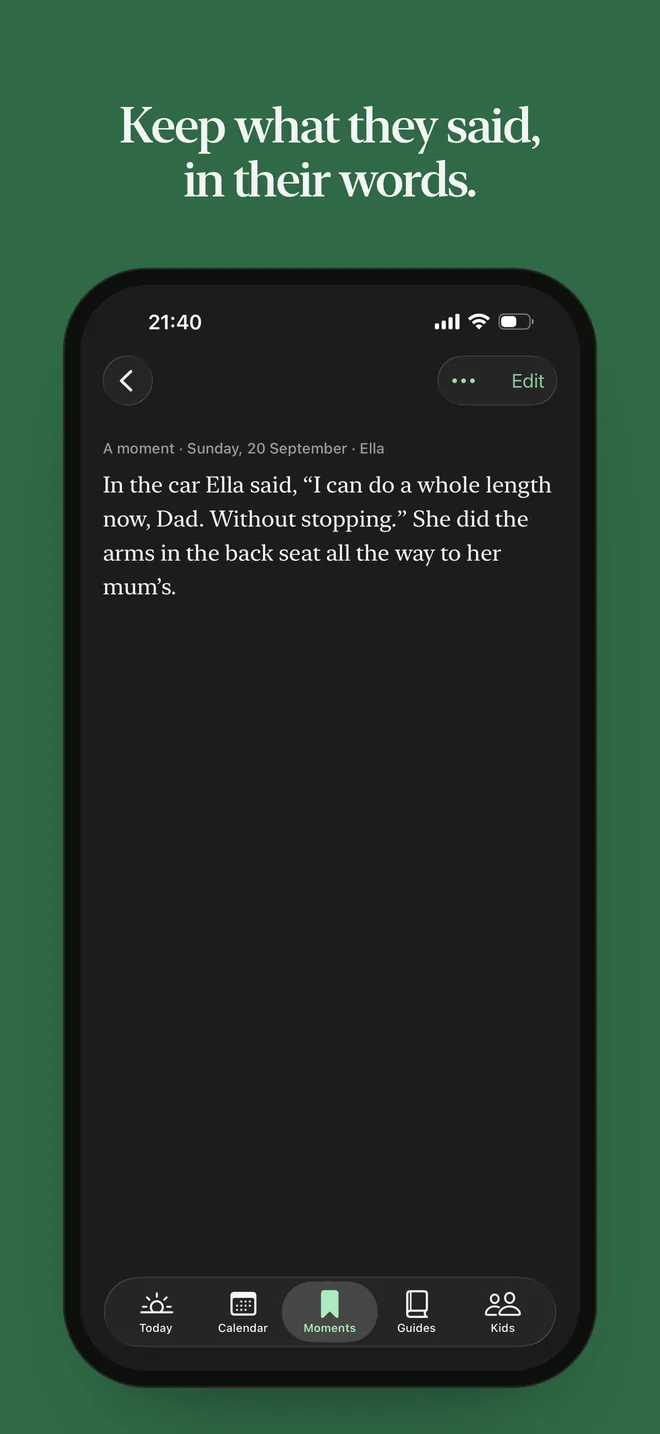
- What they said, word for word, with the date and any photos, video or audio. Photo suggestions are worked out on the phone and never uploaded.
- Private letters
- Letters for them to read when they’re older. They can’t be sent from the app.
- The schedule
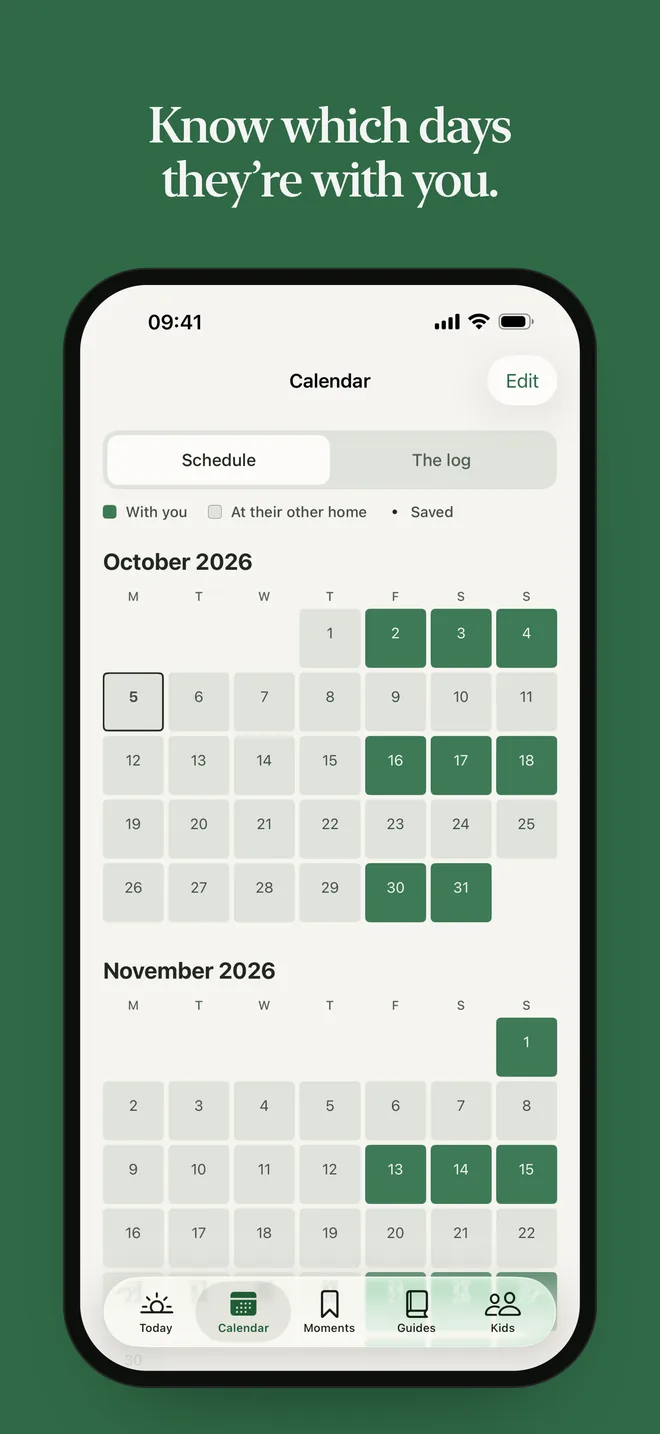
- Patterns like every other weekend, or a week on and a week off, with handover reminders the evening before and that morning, plus a Home Screen widget.
- The log
- Missed or shortened time, refused calls, and the swaps and handovers that went fine. Any entry can be shared as plain text.
- Let it out
- A private page to write it all down. You can keep it or throw it away, and nothing gets sent.
- Guides
- 65 short, practical guides on things like handovers, messages, money, sleep, school, quick dinners and plaiting hair. There are also 8 quiet reads, and ideas for things to do together by age.
- Kids
- Birthday, school, class teacher, best friend, and what they’re into right now.
- Lock and backup
- Face ID, Touch ID or a passcode, and a backup file you can restore on a new iPhone.
- Get support
- Helplines for the UK, the US and Kenya, and Find A Helpline for everywhere else.
The website
The website has the same look as the app, but its writing is more like marketing. Until launch, the only thing it asks is for people to sign up to hear when it’s out.
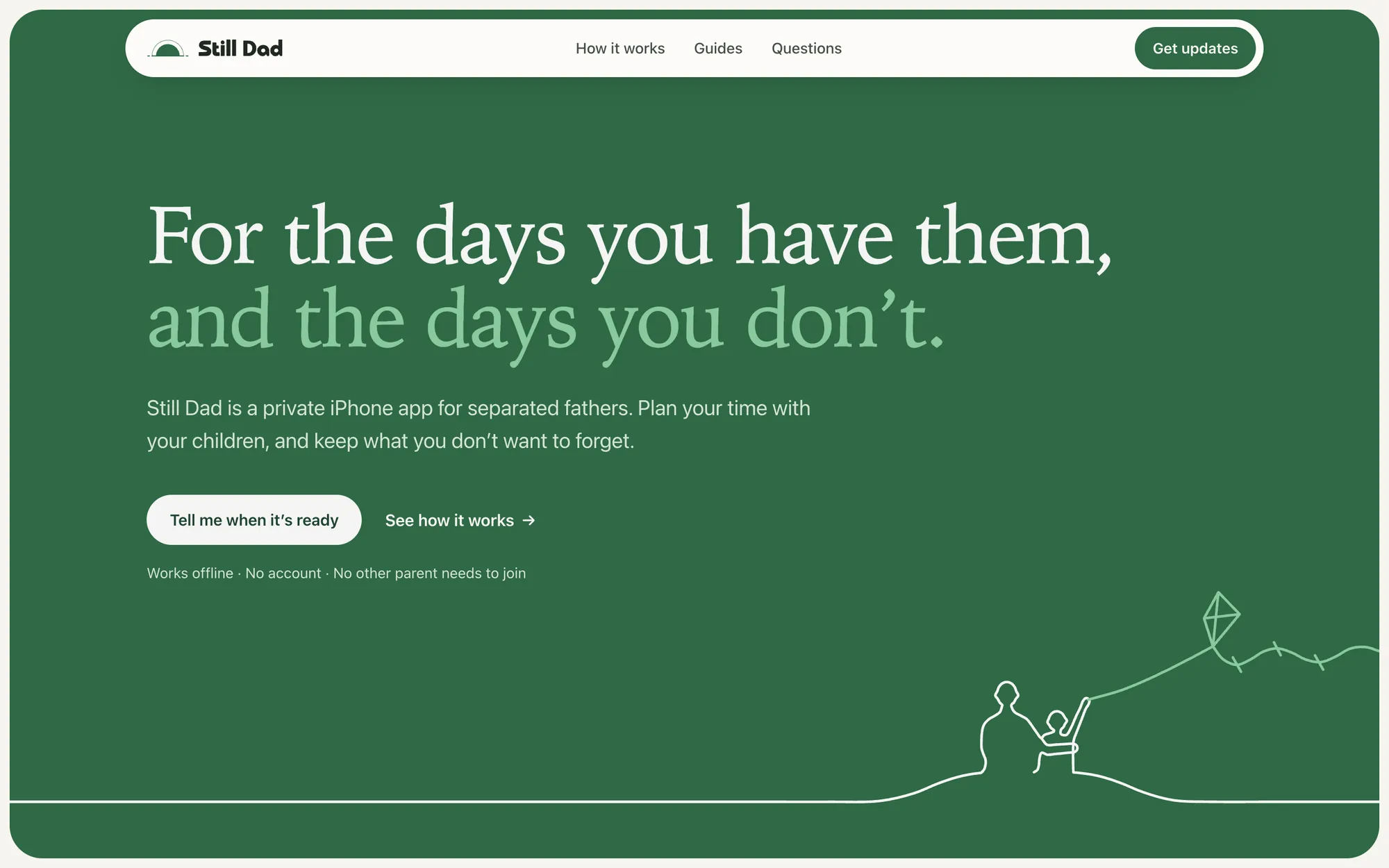 , open full size
Launch
Version 1.0 is getting ready for App Store review. In the US it’ll cost $7.99 a month or $59.99 a year, with a free week on the yearly plan. It won’t ever have ads.
The film at the top is the launch video, and it goes out once the app is live. It follows a dad on an every-other-weekend schedule, from handing Ella back on a Sunday to the school gate twelve days later, and shows what he opens the app for in between. It runs 55 seconds, the music was made for it, and there’s a vertical cut for Reels, TikTok and Shorts. Ella is made up. The screens are from the app.